Sharper and cleaner
Every frame is redrawn by Real-ESRGAN. Fine detail comes back, and the noise and blocks of compressed footage go.
A full timeline editor in a browser tab. Auto mode cuts your clips to the kicks of a song, AI models on your device split stems, clean a voice and write captions in 99 languages, and every style, effect and transition can be changed or written from scratch. Your footage stays with you.
For For YouTube videos, shorts and reels, vlogs, music edits and short films
The first public beta, free to use today on desktop and phone. No account needed.
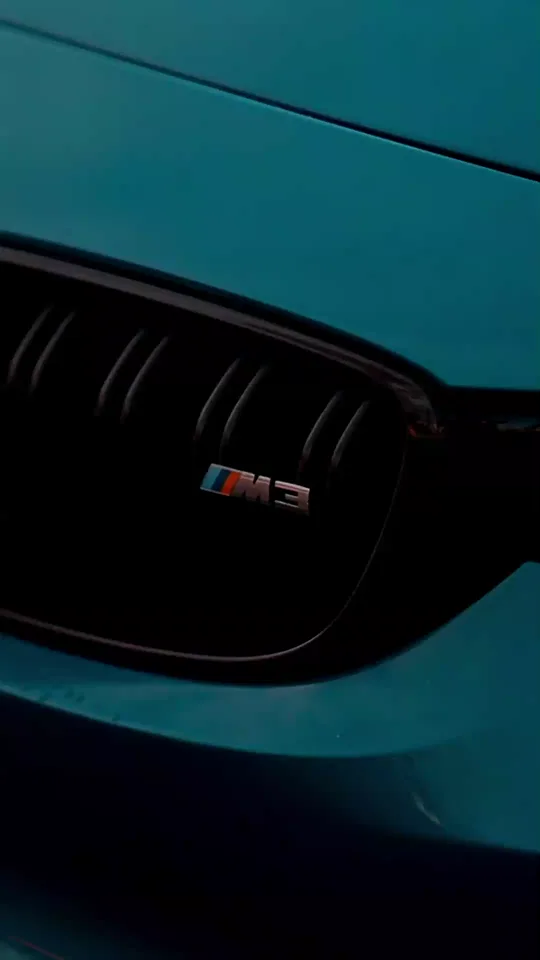
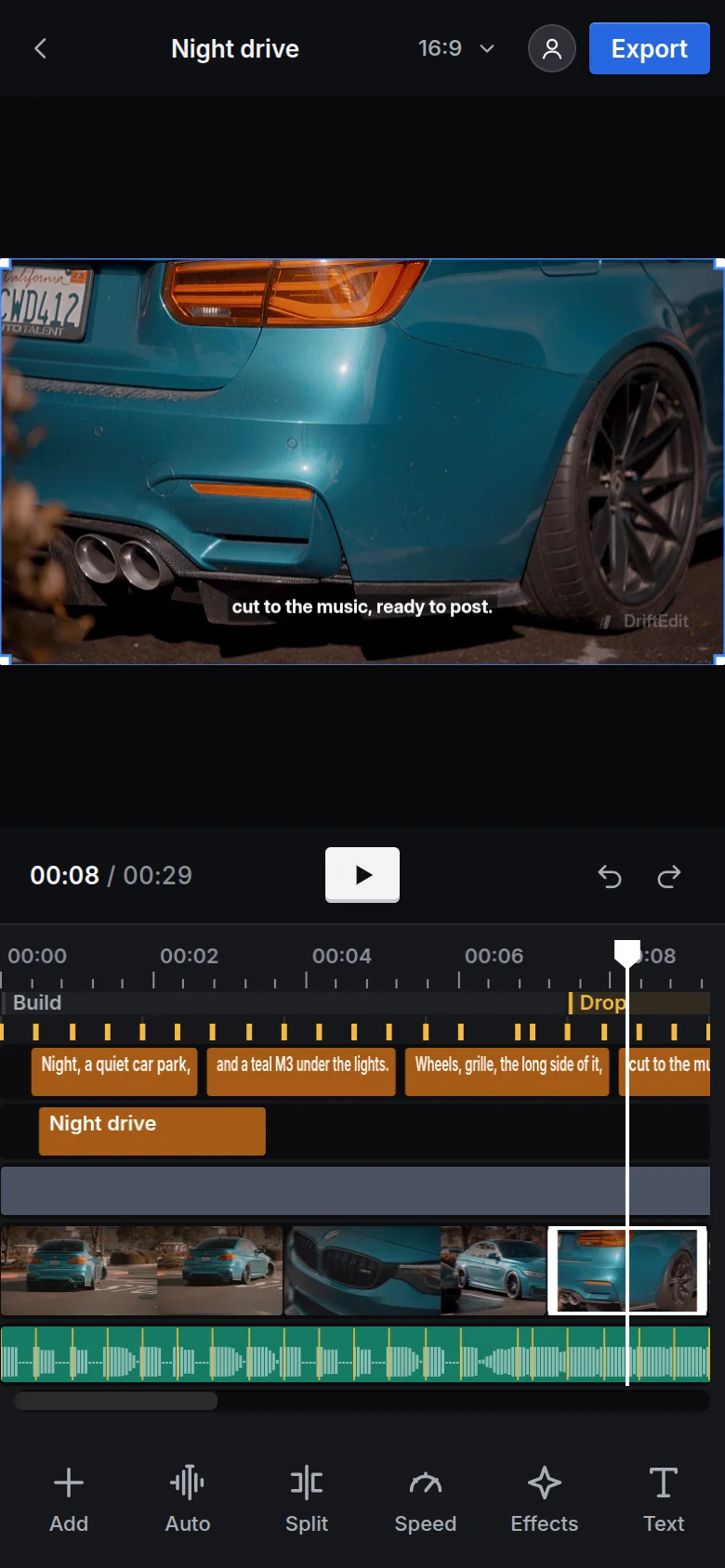
Export a 1080p edit at 4K and an AI model redraws every frame: sharper and cleaner, with the noise and compression blocks gone and the motion fluid on every frame. Editors usually make this pass in a separate upscaler after exporting. DriftEdit makes it in the export.
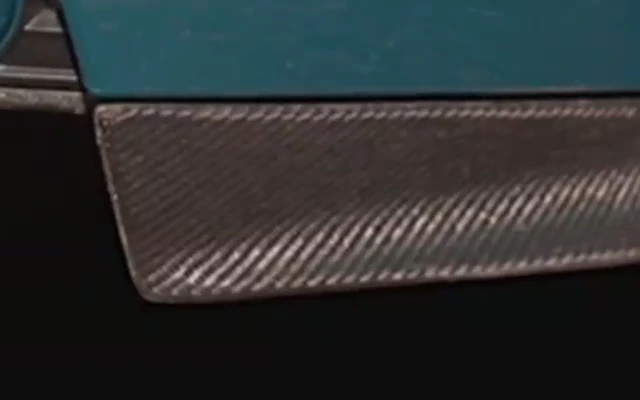 Exported at 4K
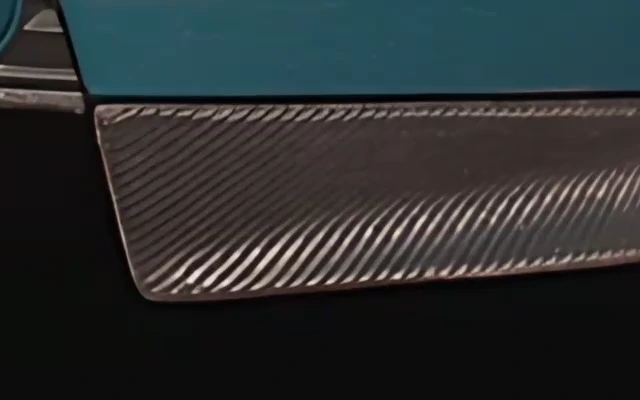 With Perfect quality (AI)
Every frame is redrawn by Real-ESRGAN. Fine detail comes back, and the noise and blocks of compressed footage go.
Smooth motion is included. Any frame that would repeat a picture, from footage with fewer frames a second than the export or a slowed clip, is drawn by a model.
The model runs in the browser tab on the graphics card, and nothing is uploaded. It takes longer than a usual export: about half a second a frame on a fast graphics card.
Fourteen models run inside the browser, through ONNX Runtime Web: on the graphics card through WebGPU where the browser has it, and in WebAssembly across the processor's threads. Each downloads once, from DriftEdit's own site, the first time it is used. What they hear and see stays on the device.
Split into stems separates a song into vocals, drums, bass and other, each on its own track under the song. Turn the vocals down under speech, or let only the drums play into the drop.
Clean up the voice turns down rumble and steady room noise and sets the level to -16 LUFS. Isolate the voice lifts the dialogue out of music and effects: in a browser test, a loud tone under speech drops by more than 20 dB while the voice stays within 6 dB. The original recording is kept.
Smooth motion draws the frames between the footage's own, so a clip slowed to half speed or less still moves on every frame. Auto mode smooths its slowed shots in the background. At export, the whole edit goes to 60 fps, or 120 with Pro, never blended across a cut.
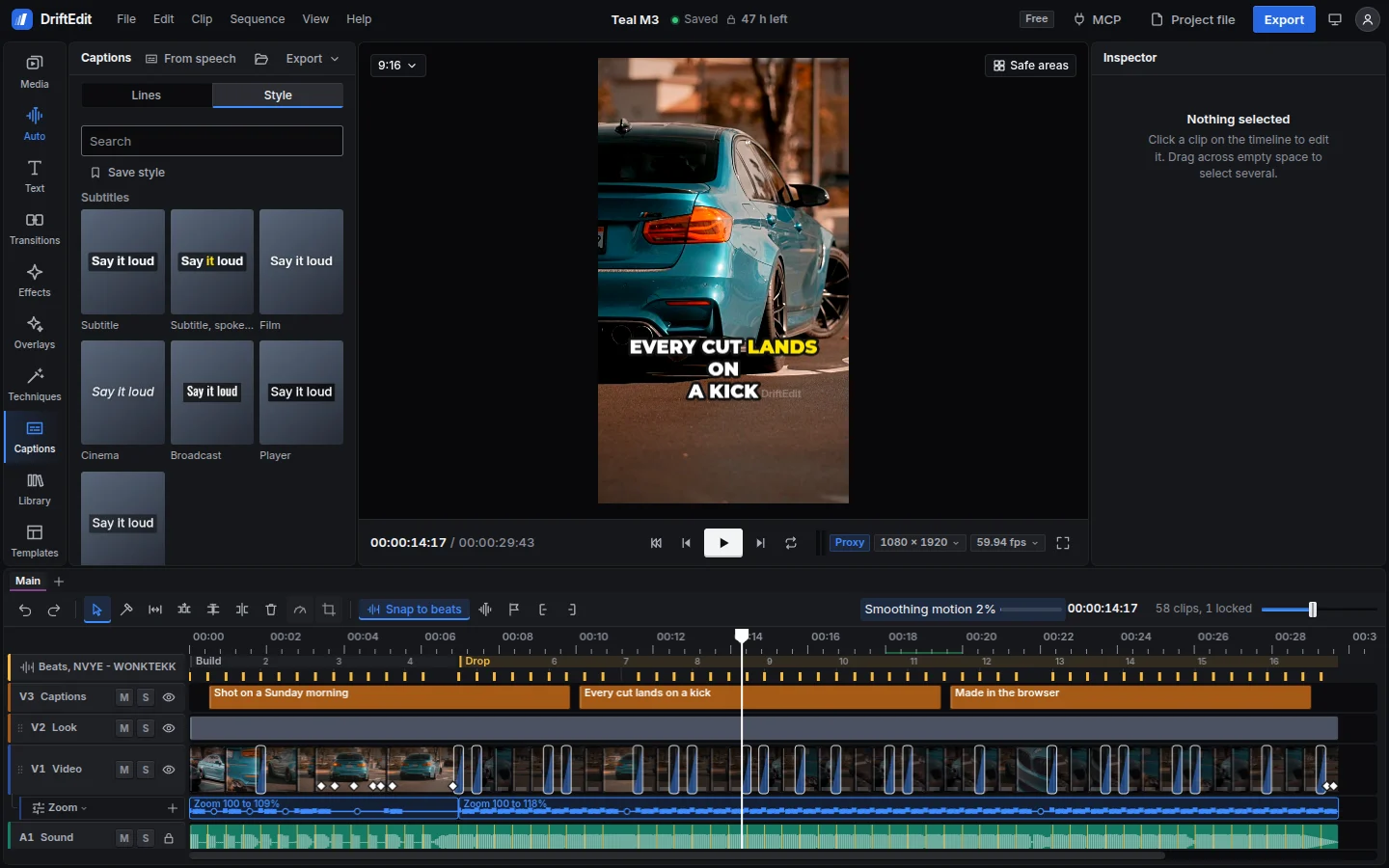
Captions from speech, with timing for every word, kept with each shot through the cuts. Style them in any of 53 caption styles, most marking the word being said.
Move in depth reads how near each part of a photo is, then pushes in so near things slide against far ones.
Blur the background finds the person and keeps them sharp. Change its strength at any time, or brush the outline on the viewer.
Still frame holds a frame of a clip, cuts out its subject, whatever it is (a car, a person, a drawn character), and animates it over the background on the beat. The subject and the background each take moves of their own: a rise with an impact, a glow, a shaking shadow, a slide with a trail, the background bent by a lens or pushed in for depth. Editors put it on the beats before a drop.
B-roll on the words matches footage in the bin to the speech, and places a shot over the speaker only where it clearly shows what is said.
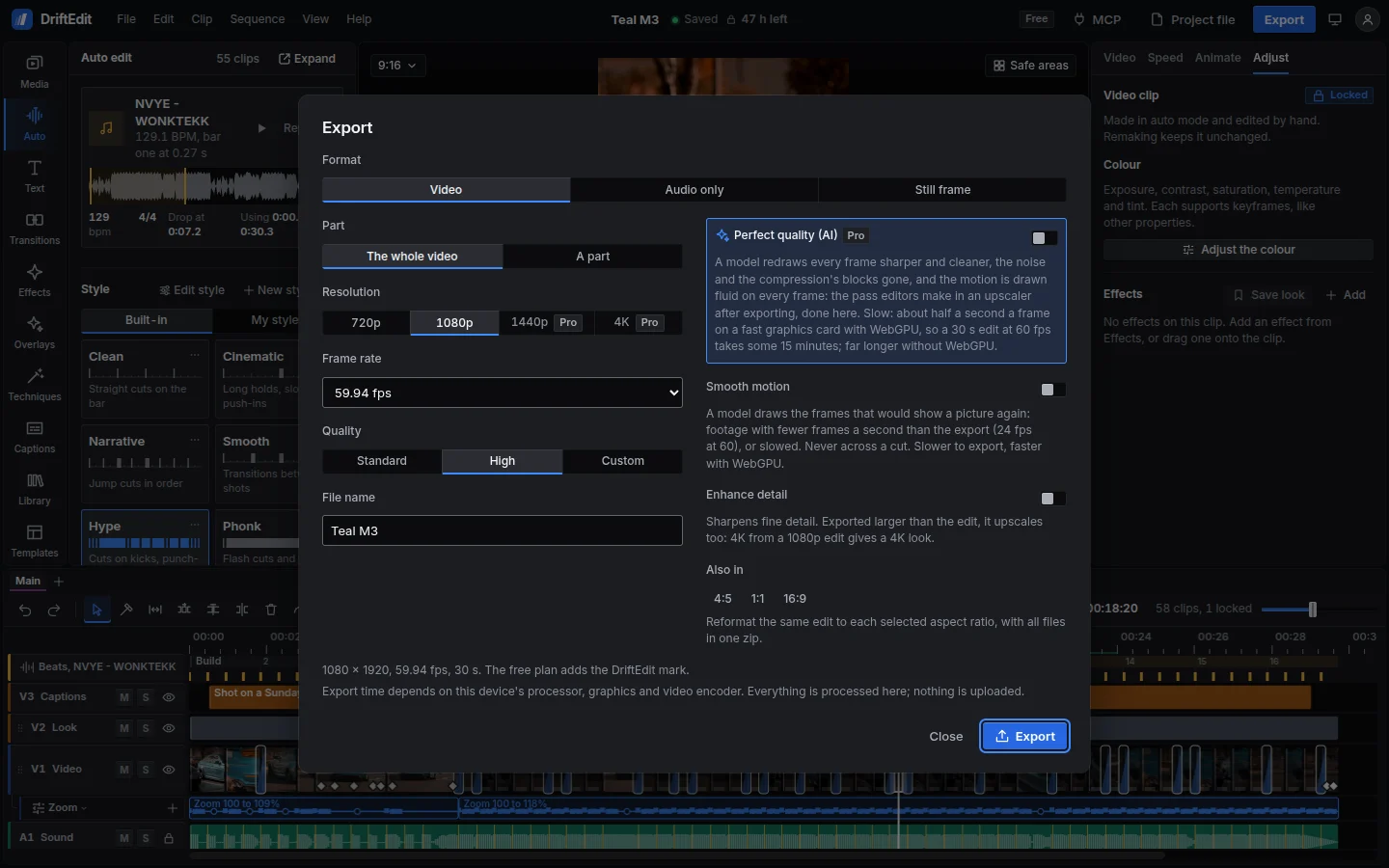
With Pro, Perfect quality (AI) redraws every frame of an export sharper and cleaner, with the noise and compression blocks gone, and the motion fluid on every frame. Editors usually make this pass in a separate upscaler after exporting.
Speak the captions says every caption in an AI voice, a woman's or a man's, in all thirteen of the editor's languages. Each word is timed to the voice, so the caption styles that mark the spoken word follow it.
Captions from speech can find the people speaking and name each turn, two at once on lines of their own, and caption the sounds where nobody speaks: music, applause, laughter, a door, a siren.
Edit long videos for a channel, short-form posts, client work or a first film, all in the browser.
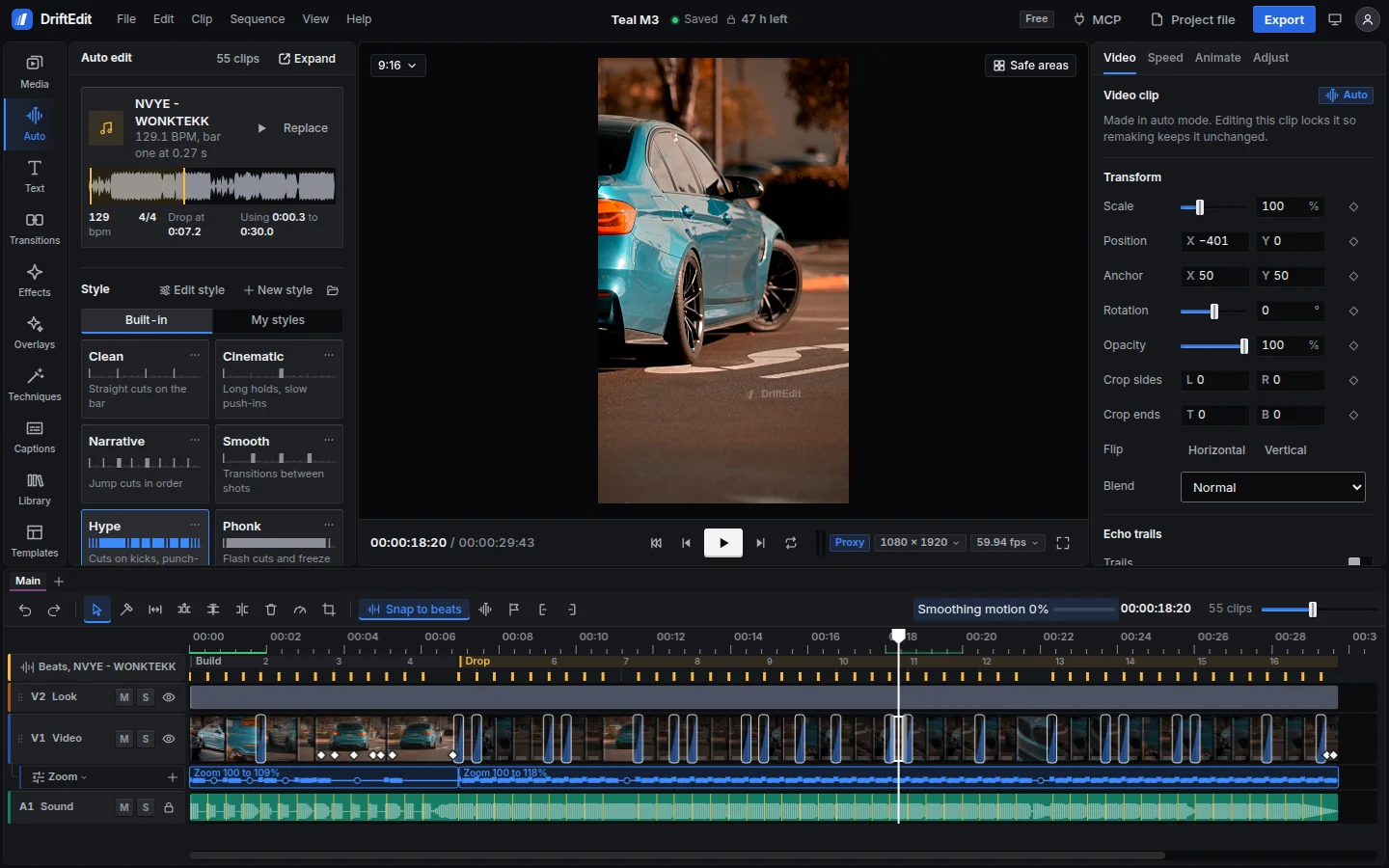
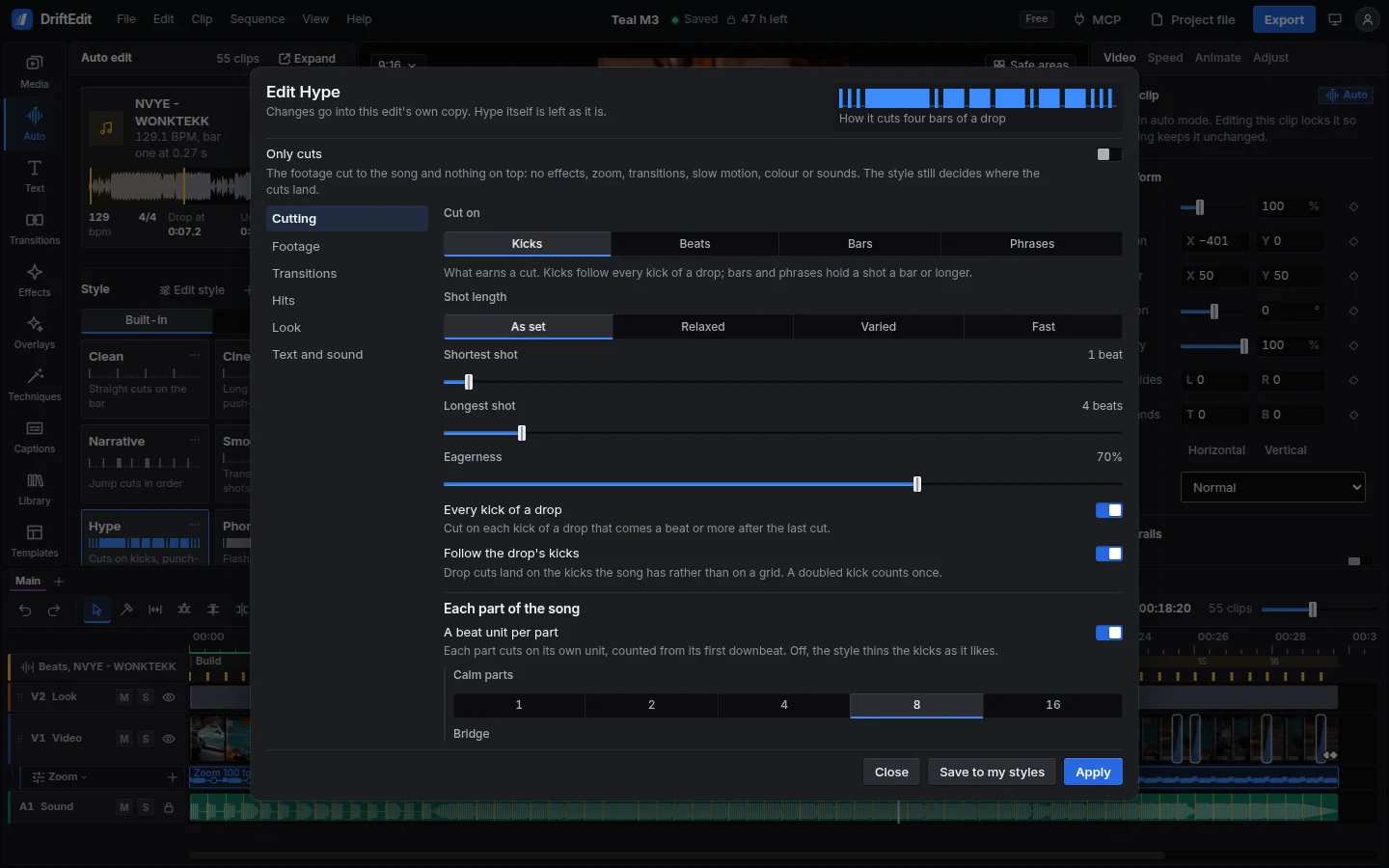
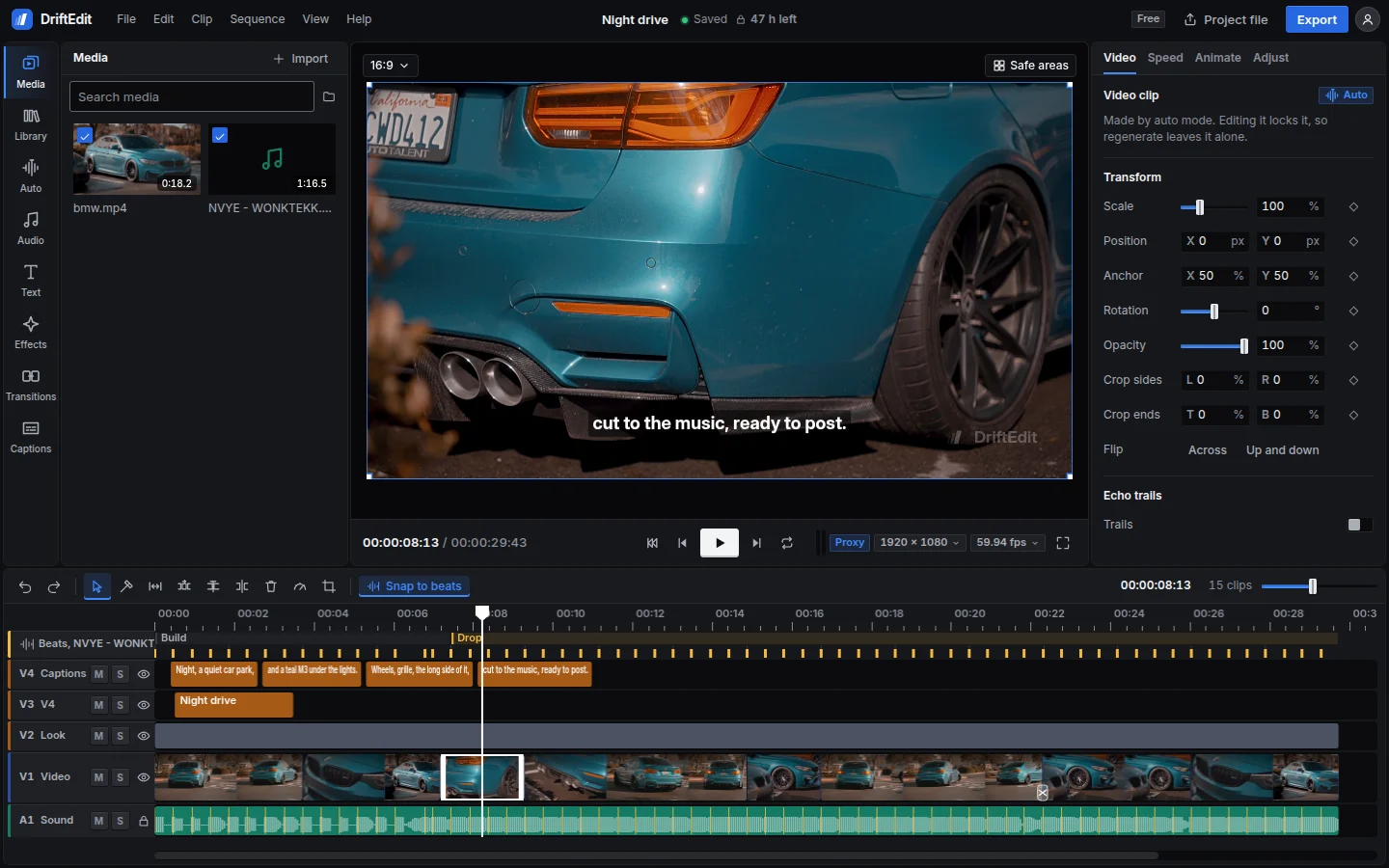
Auto mode analyses the tempo, bars, kicks and drop, then matches sharp, active shots to the music. Choose from ten styles, or open one in the style editor and make it yours. Change any clip and remake the rest around it.
Straight cuts on the bar
Straight cuts on the bar with slow push-ins, the footage left free of effects, and a fade to black at the end.
Long holds, slow push-ins
Holds shots across several bars with slow push-ins, and slower playback in calm passages. Uses long dissolves, a film grade with grain, and fades from and to black.
Jump cuts in order
Follows the footage in order, jumping at least half a second at each cut, so the story keeps moving. Cuts on the beat, with few transitions.
Transitions between shots
Cuts on the bar with long dissolves, zooms, blurs, slides and light leaks between shots, and a gentle bounce on the drop.
Cuts on kicks, punch-ins on the drop
Cuts on every kick of the drop, with a bounce and a flash zoom or whip pan on the cuts. Adds punch-ins at new sections and a rewind into the drop.
Flash cuts and freeze frames
For phonk and montagem. Alternates flash zooms and shake flashes on every cut of the drop, with glitch flashes in the middle, negative flips, black and white passages, ghost landings and blinks on the beat. Opens fading in, freezes into the drop and at the end, with a dark grade and a fade to black.
Flash shakes, negatives, ghosts
For anime and character edits. Cuts on the kicks from the first bar, every cut a shake flash, flash zoom or zoom blur, with negative flips, black and white passages, ghost landings, blinks and negative boxes on the beat. Opens fading in and ends in black and white.
Speed ramps into every hit
Speed ramps slow the footage on each kick of the drop and speed it up between kicks. Uses slower playback in calm passages, with flash zooms into the drop, zoom transitions and a vivid grade.
Glitch and shake on the hits
Cuts on every kick, with glitch flashes on the cuts and short bursts of glitch, RGB split and shake on the hits. Adds tape noise in the middle.
Reverse shots on the beat
Cuts on kicks, with reverse shots that zoom as they play and flash zooms on the cuts. Adds rewinds on the beat and into the drop.
Hatched clips play in reverse. A notch marks a transition.
Templates are edits ready to fill: cuts on a beat, transitions, effects and words, with a coloured slot for each of your shots. Use one as it is, or make your own.
A Phonk montage, a Shorts hook, a YouTube intro, a photo dump, a travel opener, a product promo, a countdown and a quote card. Choose your clips and words, and the template opens as a new sequence to keep editing.
Save any edit as a template and choose which clips become slots. Logos and songs it still uses travel inside it.
A template is a single .drifttemplate file. Another editor opens it and fills it with their own footage. Nothing is uploaded.
Trim clips, add tracks and keyframes, apply effects or set titles and captions. Auto edits use the same timeline, with every clip open to changes.
Keyframe scale, position, rotation and opacity, and shape the easing in a graph editor. Each clip supports speed ramps with their sound, smooth slow motion, reverse and rewind. Automation lanes control volume, pan and filters.
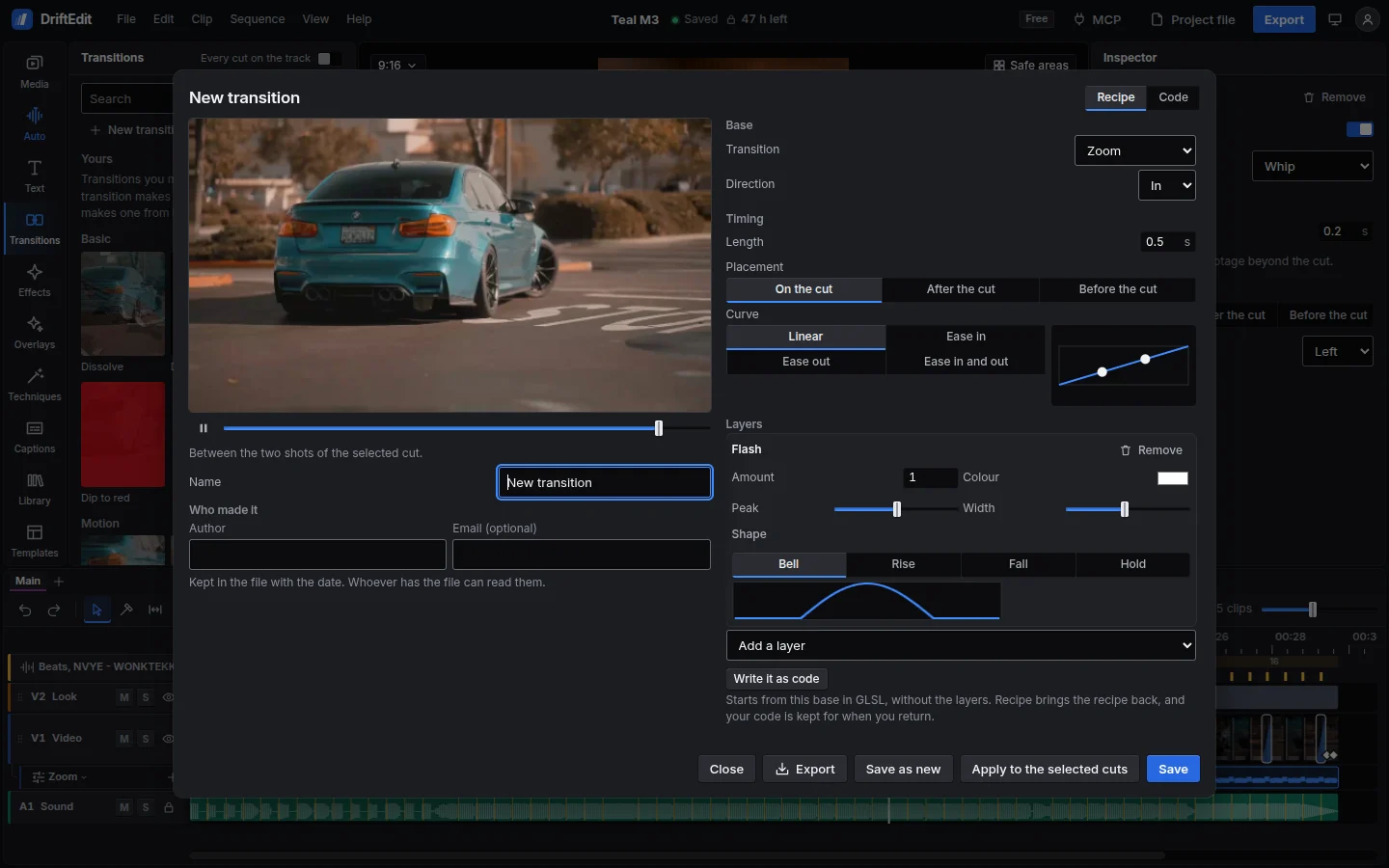
226 effects and 87 transitions, drawn with WebGPU where there is a real graphics card and WebGL 2 otherwise, with colour wheels, curves and .cube LUTs for a grade. Build your own from the catalogue's, or write one in GLSL, and share it as a file.
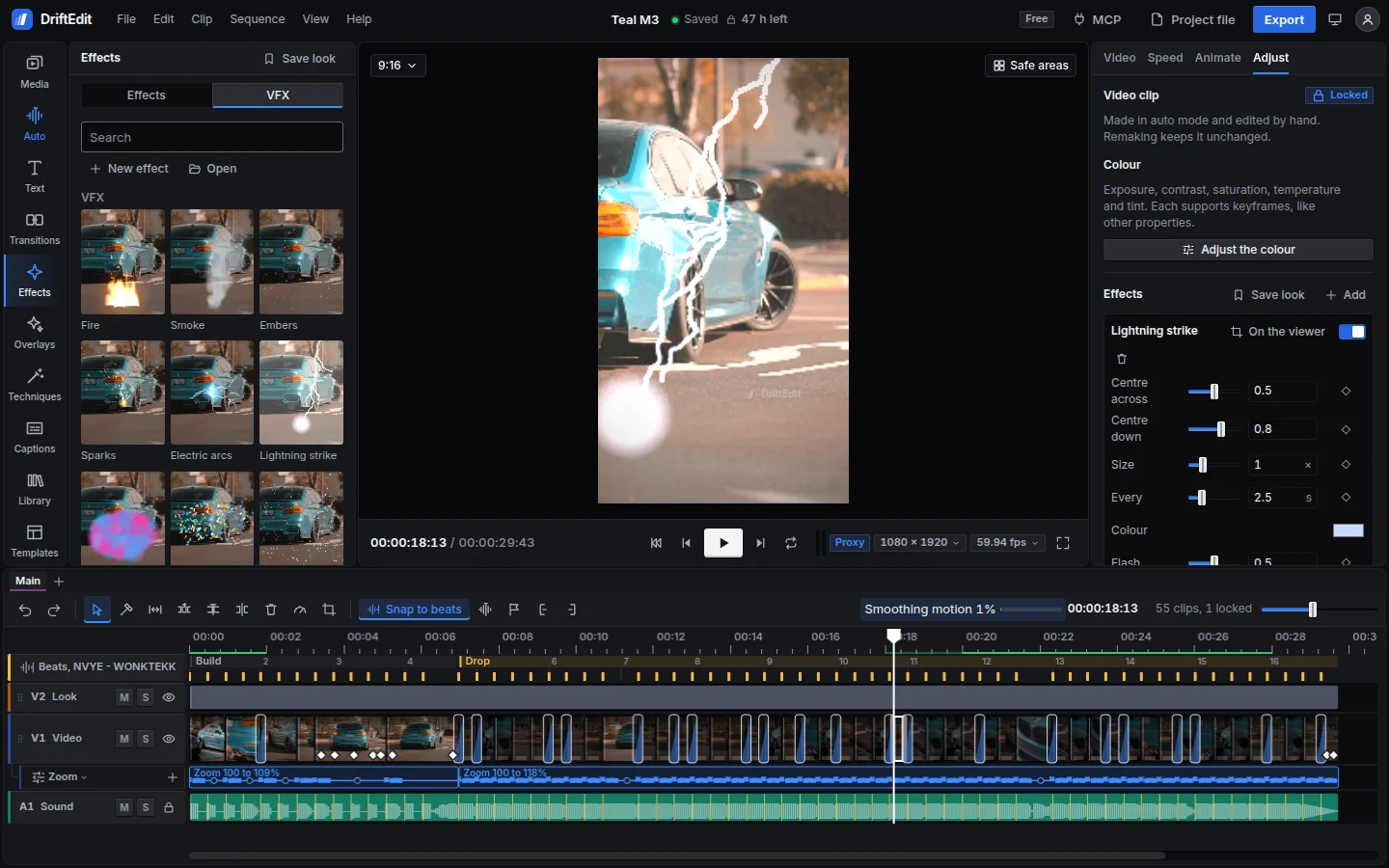
Fire, smoke, sparks, electric arcs, lightning, coloured powder, confetti, snow and rain, drawn in 3D on any shot and placed by dragging on the viewer. Particles in depth, 3D text, and your own 3D models in glTF, OBJ, FBX, USD, STL, 3MF, Blender or DriftEngine's .drft, with their textures, lit and filmed as you set.
106 text styles, 53 caption styles and 40 animations. Import and export SRT or WebVTT files, or restyle all captions at once.
Volume, pan and filters on every track, with a four-band EQ drawn as its curve, and fades on every clip. Speed ramps and reversed clips play their sound.
Export at 720p or 1080p on the free plan, at any supported frame rate. Export several aspect ratios together, or save the audio or a single frame. Enhance detail makes an export larger and sharper on the graphics card. Pro adds 4K at up to 120 fps, and Perfect quality (AI), which redraws every frame sharper and cleaner.
Record the screen, a window or a browser tab, a camera and a microphone, together or one at a time, without leaving the editor. Each source lands on the timeline as its own clip, in sync, ready to cut.
The camera lands as a picture in the corner over the screen and the voice on its own track. Captions can be made from the voice, each word timed.
Video keeps the size and frame rate it arrives at, up to 120 frames a second where the screen or camera gives them. Sound is kept lossless.
Pause and resume as you go and watch it grow on the timeline. Nothing is uploaded, and if the tab closes, what was recorded comes back.
Paste your script and it scrolls as you record, at a speed you set or following your voice word by word, and it never shows in the recording. Pop it out into a window of its own, under the camera.
Scan a code with a phone, tablet or computer on the same Wi-Fi, and its camera and microphone join the recording, with no app and no account. Its screen shows the teleprompter too.
The device records its own copy as you record and sends it when you stop: every frame its camera gave takes the place of the picture sent over the network, lined up by its sound.
Claude, Cursor or any MCP client can use the full editor on your computer. Each tool includes instructions for the agent.
52 documented tools cover every auto mode setting, timeline editing, the song's kicks, techniques, captions and export.
The agent can inspect individual frames or a contact sheet before changing the edit or exporting.
The server runs the studio in a separate Chrome instance. It reads files from disk and saves exports there. Files are never sent to DriftEdit.
Decoding, editing and encoding run in the browser tab, using the device's processor and graphics card. Rendering starts on the device, without a queue or credits to buy.
On the device, in browser storage. Decoding, editing and export happen in the tab, and your videos are never uploaded. Signed in, your projects follow you to your other devices without their media; or save a project file, with or without its media.
No. Editing, the AI models and export all work signed out, on the free plan. Signed in, your projects (without their media), your styles, presets and settings follow you to every device, and an account pays for Pro.
Any audio file. DriftEdit does not host or sell music. The Library includes sounds and beats generated in code, free to use in exported work.
The DriftEdit watermark is set to 25% opacity and 10% of the frame's shorter side. It sits within the safe area, clear of the buttons on TikTok, Reels and Shorts.
A free project locks 48 hours after the last edit. Each edit restarts the clock; the remaining time is always shown. The project and its media stay on the device. Pro unlocks it. Exported files never expire.
Yes. Claude, Cursor or any MCP client can use the editor through the agent server, a single file that runs the studio on your computer. It supports auto mode, timeline editing, techniques and export. Agents can inspect frames as they work. Setup instructions are on the AI agents page.
Current versions of Chrome and Edge on desktop and Android are tested. Safari and Firefox support is still being tested on individual devices. Unsupported options are labelled in the editor.
With Pro, it redraws every frame of an export with an AI model, Real-ESRGAN: sharper and cleaner, with the motion fluid on every frame. It is made for a 1080p edit exported at 4K and works at any size. The model runs on the device. On a fast graphics card it takes about half a second a frame.
No. Each model runs in the browser tab, on the graphics card through WebGPU or on the processor in WebAssembly. The model itself downloads once, from DriftEdit's own site, the first time a tool needs it. The footage, song or voice it works on stays on the device.
Runs in this browser. Nothing to install.